The Discrete Time Fourier Transform
Consider a discrete time signal
And its inverse is given by,
The DTFT calculates the frequency spectrum of a discrete-time signal. Its result is continuous in frequency as well as periodic.
The Discrete Fourier Transform
The DTFT can not directly be computed by a computer as it requires the calculation of an infinite summation. Discrete Fourier transform (DFT) resolves this problem by assuming a finite length signal.
Let
Since, the time domain consists of only
where,
Equation
The DFT matrix
For
From
where, the DFT matrix
The output vector
The 2-Dimensional Discrete Fourier Transform
The 2D DFT can then be given as,
And its inverse as,
The 2D DFT can be viewed as a sequence of two 1D DFT applied to the first variable and then the second. In case of image, this means applying a 1D DFT along the column and then applying another 1D DFT along the row of the result obtained from the first transform.
The Implementation
Let us first import the libraries that we will be using.
import numpy as np
import plotly.express as px
import requests

from PIL import Image
Using DTFT Matrix
From
def dft_matrix(N: int = 256):
    w = np.exp(-2 * np.pi * 1.j / N)

    j, k = np.meshgrid(np.arange(N), np.arange(N))
    W = np.power(w, j * k)
    return W
If we visualize the real part of
W_512 = DFT_matrix(N=512)

px.imshow(np.real(W_512), width=600, height=600)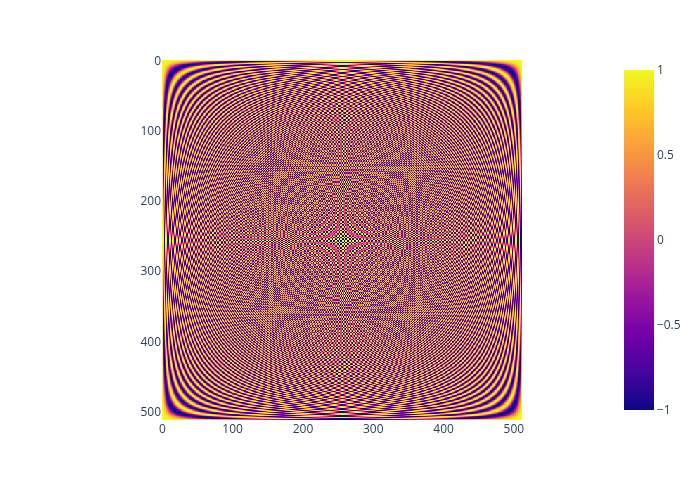
Now, the 1D DFT can be implemented as,
def dft(x):
    W = dft_matrix(x.shape[-1])
    return W @ x
And the 2D DFT can be implemented as,
def dft2(x):
    W = DFT_matrix(x.shape[-1])
    X = W @ x
    W = DFT_matrix(x.shape[-2])
    return (W @ X.T).T
Now, let’s apply our implementation to perform the discrete Fourier transform. For this we need to obtain an image first
url = "https://c02.purpledshub.com/uploads/sites/48/2024/04/helix-nebula.jpg"
img = Image.open(requests.get(url, stream=True).raw).convert("L").resize((512, 512))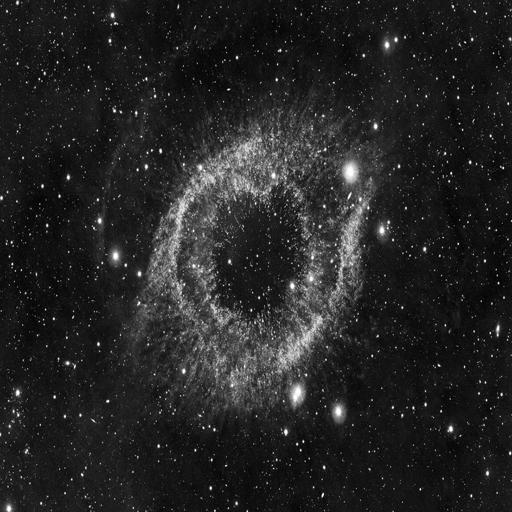
Now, we can apply the discrete Fourier transform on it
img_np = np.array(img)
img_dft2 = dft2(img_np)
Let us check that our implementation is correct by comparing it with the fast fourier transform provided by numpy.
img_fft2 = np.fft.fft2(img_np)
print(np.isclose(img_dft2, img_fft2).all())
The above code results in the following output
np.True_This means that our implementation is correct.
Let us visualize the transformed image.
plt.imshow(np.log(np.abs(img_dft2)**2))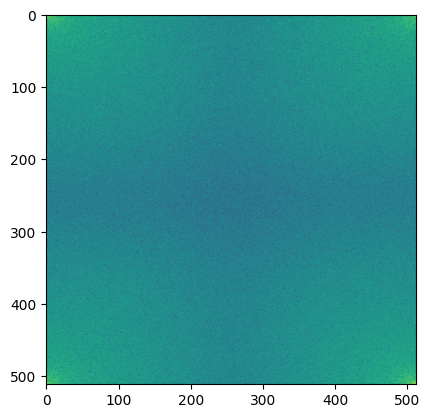
Based on our current implementation, the frequencies [0, 0] is at the top left corner. Centering the Fourier transform can make it easier to interpret the frequency content of the image. However, to center the transform, we require negative frequency components. So, where are these negative frequency components? The second half of the frequency components are the negative frequency components.
def dftshift(x, axes=None):
    if axes is None:
        axes = tuple(range(x.ndim))
        shift = [dim // 2 for dim in x.shape]
    elif isinstance(axes, integer_types):
        shift = x.shape[axes] // 2
    else:
        shift = [x.shape[ax] // 2 for ax in axes]

    return np.roll(x, shift, axes)
Now, the fourier transform of the image can be centered as,
shifted_img_dft2 = dftshift(img_dft2)
plt.imshow(np.log(np.abs(shifted_img_dft2)**2))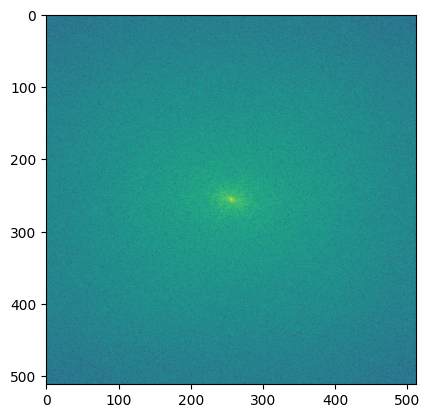
Using Basis Images
Equation
The exponential part in the above equation forms the basis image for horizontal
def dft_basis_2d(N: int, M: int, u: int, v: int):
    n, m = np.meshgrid(np.arange(0, N), np.arange(0, M), indexing="ij")
    return np.exp(-1.j * 2 * np.pi * (n * u / N + m * v / M), dtype=np.complex128)
It can be observed that an image of width
M, N = 8, 8
fig, axes = plt.subplots(M, N, figsize=(12, 12))

for i in range(M):
    for j in range(N):
        basis_img = np.real(dft_basis_2d(M, N, i, j)).astype(np.float32)
        axes[i][j].set_yticks([])
        axes[i][j].set_xticks([])
        axes[i][j].imshow(basis_img, cmap="gray", vmin=-1., vmax=1.)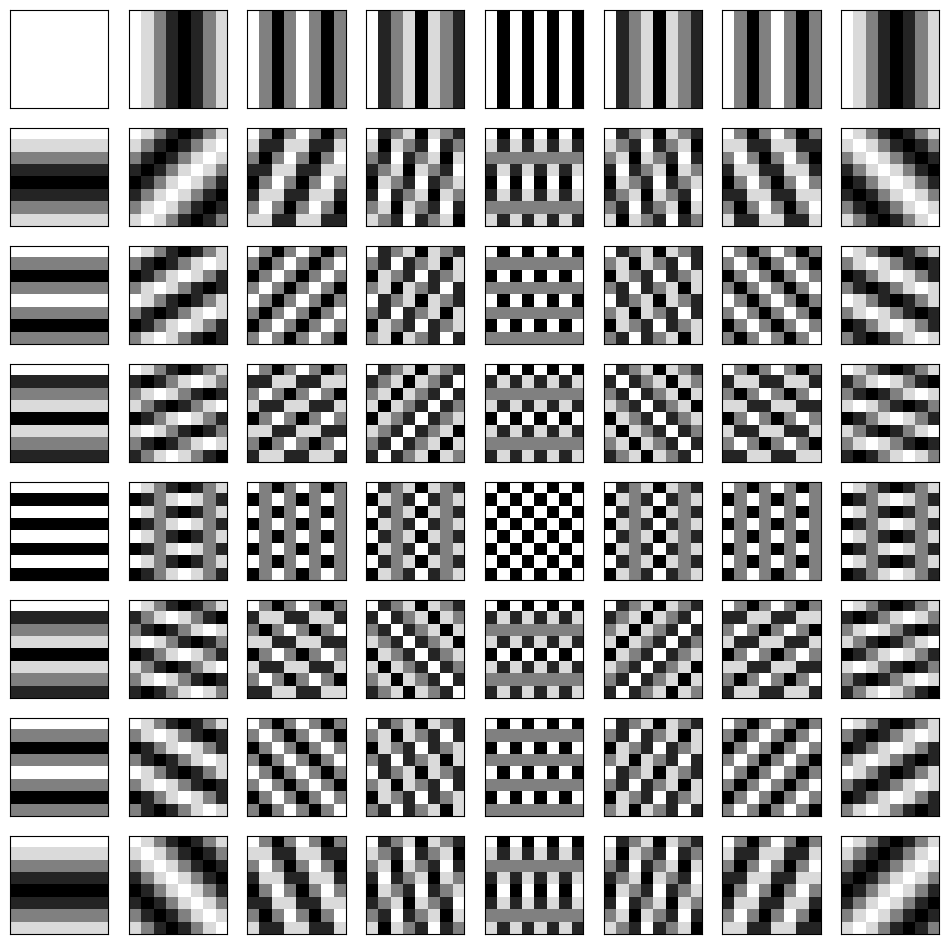
The discrete Fourier transform can be performed by computing the linear combination of the pixel values in the original image with the corresponding basis images.
Implementing DFT using such linear combination is computationally expensive, so let us limit ourselve to an image of size
url = "https://www.cs.montana.edu/courses/spring2005/430/lectures/06/programs/checker32.jpg"
img = Image.open(requests.get(url, stream=True).raw).convert("L").resize((4, 4))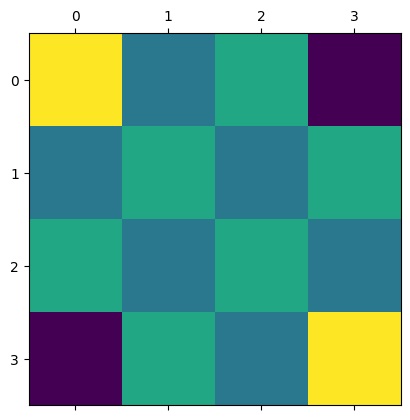
Since the image is of size
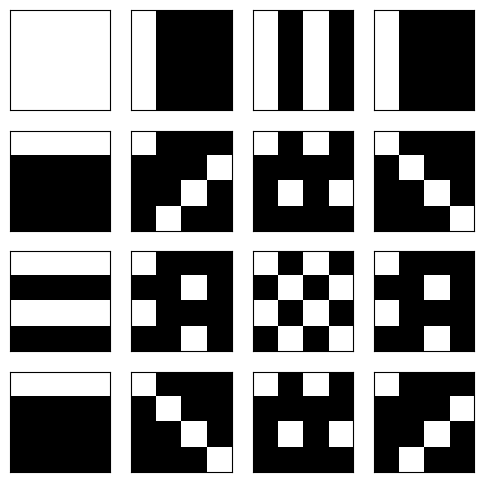
Then the Fourier transform can be performed using the linear combination discusses earlier as shown below
M, N = 4, 4
bases = [dft_bases_2d(M, N, i, j) for j in range(M) for i in range(N)]
bases_np = np.stack(bases, axis=2)

img_dft2_lin_comb = (img_np.reshape(1, 1, -1) * bases_np).sum(axis=2).reshape(4, 4)

plt.matshow(np.log(np.abs(img_dft2_lin_comb)**2))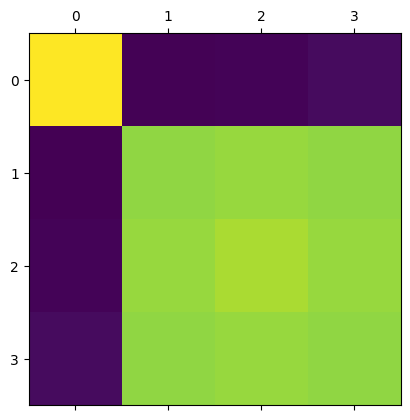
Let us again compare it with the fast Fourier transform from numpy to verify that it is correct.
print(np.isclose(img_dft2_lin_comb, np.fft.fft2(img_np)).all())np.True_This means that our implementation is correct.
References
Contents